Expertise for your application.
Turn machine measurements into a clearer view of asset health. Azima DLI forms part of Fluke Reliability, combining machine-health analysis with the wider condition-monitoring portfolio.
Equinox supports customers looking to connect vibration information with predictive maintenance practices and equipment reliability decisions.
Read more: Azima diagnostic monitoring (opens in a new tab)Fluke Reliability
Technology in context.
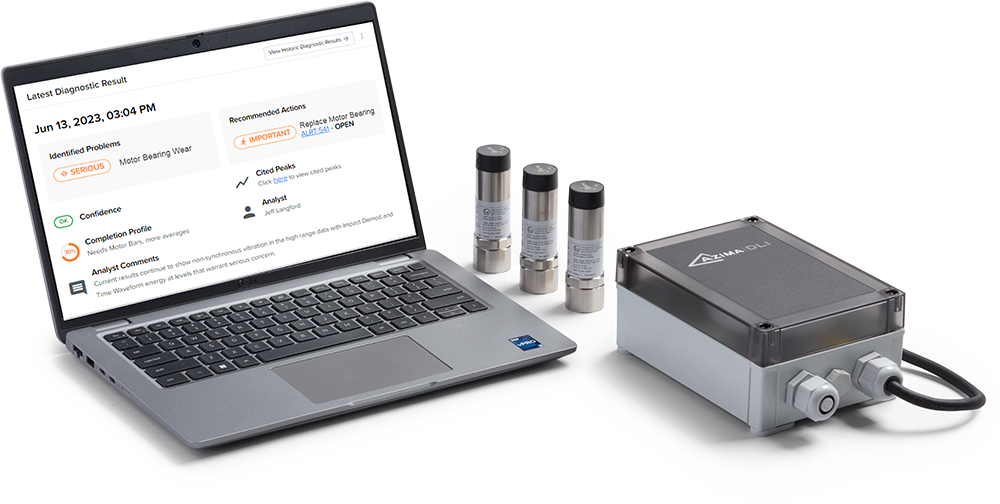
Azima combines condition-monitoring hardware, diagnostic software and vibration-analysis expertise within a plant-wide reliability approach.
Bring different collection methods together
The platform supports permanently installed systems, wireless sensors and route-based data collection. The collection method can therefore reflect the importance and accessibility of each machine.
Turn analysis into a maintenance discussion
Diagnostic analysis identifies suspected faults and prioritised repair recommendations. Expert review provides another layer of interpretation when the machine behaviour or operating context needs investigation.
Applications
Where it fits.
- Plant-wide vibration programmes
- Mixed wired and wireless monitoring
- Route-based machine analysis
- Maintenance priority reviews
Choosing your solution
What to consider.
- Which machines are in the programme?
- What collection methods are already used?
- Who needs diagnostic reports?
- How will findings enter maintenance planning?
Go further
Further information.
Explore the information for your application, then speak to our team about selection and support.
Enquire about this rangeAzima DLI
Let’s find the right solution.
Tell us about your application. We’ll help with options, pricing and next steps.